Accruent Siterra 26.6 Release Notes
This automatic upgrade is scheduled for UAT environments on November 19, 2026, and for production environments on December 12, 2026.
Release notes are subject to change until the production release.
Preview new interface
We’re continuing our rollout of a new modern interface for Siterra. Early adopters can sign up to evaluate it.
The preview is off by default. To request access, contact Accruent Support with this subject line:
Request technical preview of new Siterra UI in UAT
When Accruent Support enables the preview:
-
Select New Siterra (upper-right) to switch to the new interface.
-
Select it again to return to classic Siterra.
Most menus and options work the same in the new interface. If you open something that isn’t available yet, Siterra shows the classic page or dialog and continues operating normally.
Review the new Siterra preview for each release.
Explore your data with Analytics Central
Get powerful reporting in Siterra with Analytics Central, powered by Sigma.
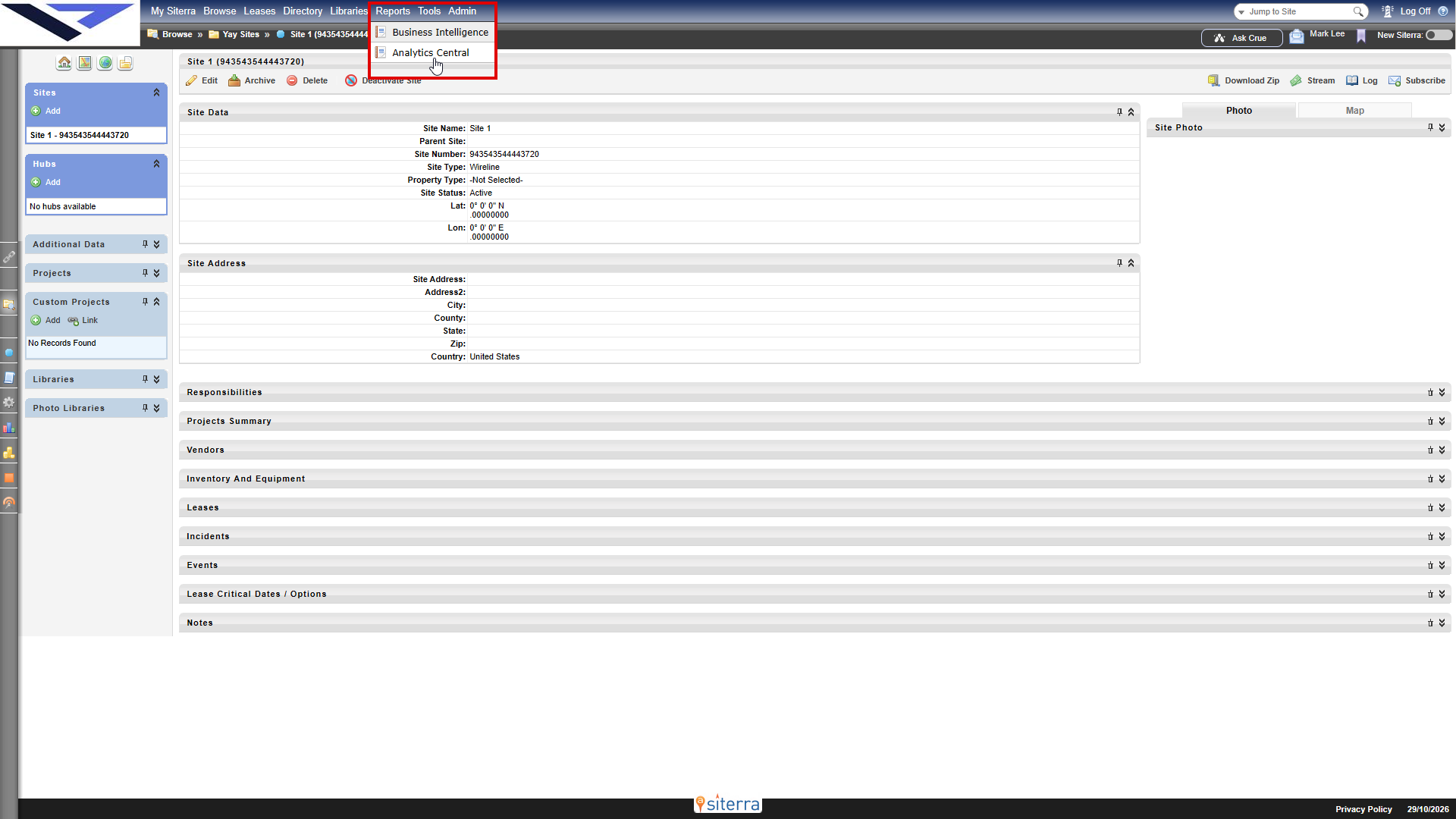
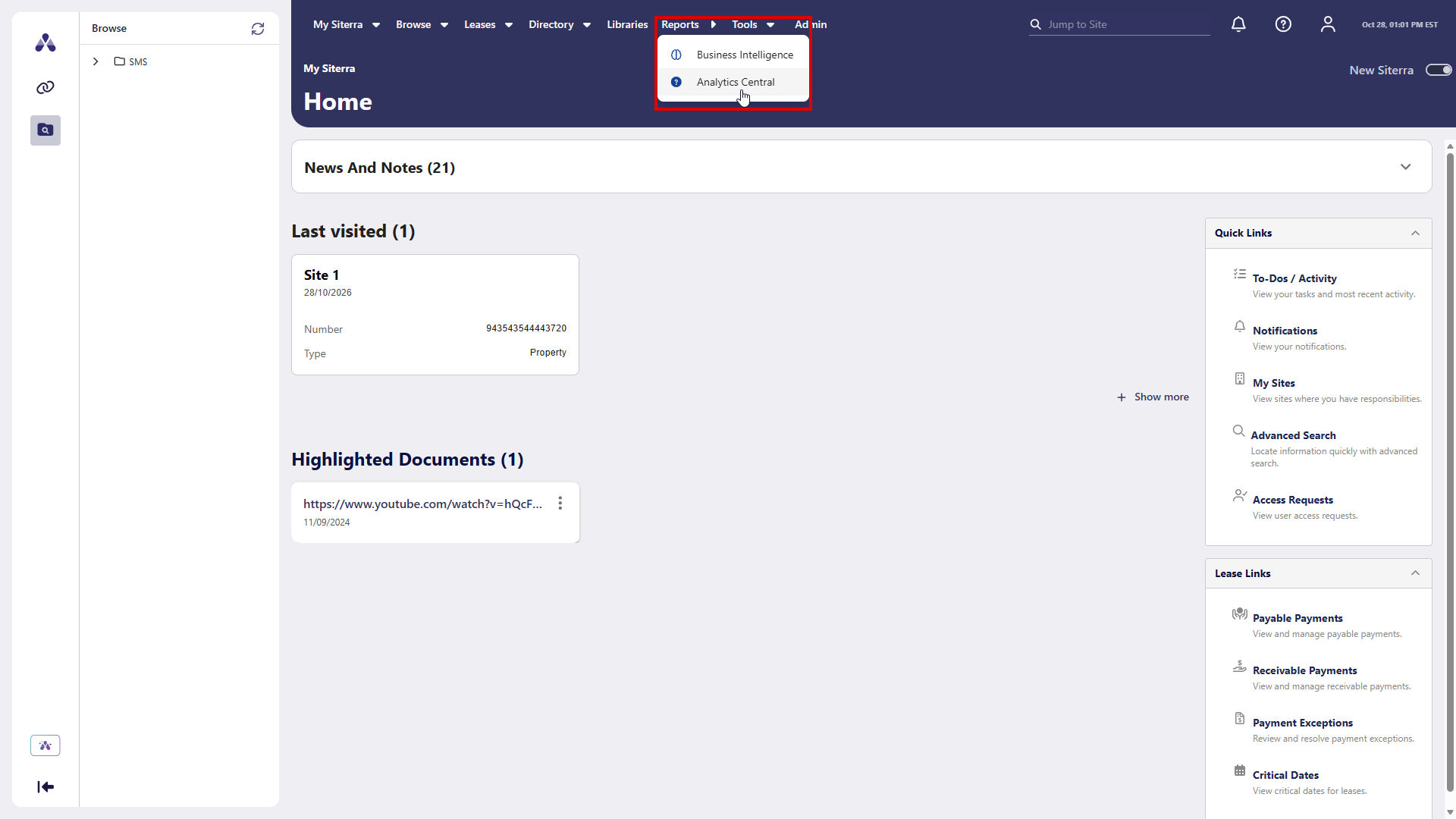
Select Reports > Analytics Central to open Analytics Central in a new browser tab. You can create and run the reports your organization needs without having to sign in to another system. Your reports use the same permissions that your Siterra administrator sets up.
Analytics Central works in both classic Siterra and new Siterra.
Analytics Central is off by default. It's available for organizations that use Auth0 single sign-on (SSO) through Accruent Identity Management. To turn it on, contact Accruent Support.
Improvements and issues fixed
|
Component |
Summary |
Reference # |
|---|---|---|
| API |
Non-admin users with the correct permissions can now create projects under events using the API. The API no longer returns a 400 validation error due to the project being unable to inherit access rights at creation time. The fix routes permission checks through the parent event's site access rights. Example Copy
The API returns 201 Created and creates the project under the specified event. For full endpoint details, see the Siterra API documentation. |
SP-57789 |
| BOU |
When you reject an approval subtask in the BOU subtask extension flow, Siterra now sends rejection emails only for that project. You no longer get emails for every project that uses the same document subtask. |
SP-51959 |
| BOU |
In the BOU subtask extension flow, you can now reject approval subtasks in bulk without getting an error. Siterra skips any subtasks that are still pending, tells you how many it skipped, and saves your other changes. |
SP-51958 |
| Leases |
You can now add an escalation to a lease payment line, either on the page or by import. Siterra saves the escalation correctly. |
SP-58356 |
| Projects |
Task forms that update a project's status now save correctly, even when the Project Status field is hidden on the form. |
SP-53228 |
| Search |
Site search now works correctly after you clear your browser cache. |
SP-60097 |
| Tasks/Subtasks |
The log for a document upload subtask now correctly shows the subtask's task number and history after you upload a document. |
SP-60082 |
| Additional Data |
Links in Additional Data forms now open correctly for all users. Forms also load correctly and show field values that include special characters, like quotes, slashes, or email addresses. |
SP-60173 |